Every minute you spend on manual data entry is a minute you’re not connecting with your next great candidate or client. The record entry features in PCRM make adding names, companies, and jobs a breeze, and with our latest update this extends to bulk-imports.
PCRM’s new Bulk Import feature streamlines the process of adding large lists of names, companies, and positions to your private recruitment database. Whether you’re migrating data from another system, importing a fresh list of prospects, or updating existing records with fresh information, the new bulk import in PCRM reduces the friction that slows you down.
Smart, Simple, and Fast
Getting started is straightforward. Just open PCRM’s unified “Add Record” tool in the top right corner and select “Bulk import.” From there, the process is designed to save you time at every step:
Field-Mapping Templates
Create reusable templates for data sources you import regularly. These templates remember your field configurations, ensuring consistent and accurate data placement every time. No need to remap the same fields over and over again or document import mappings outside of the system.
Import History at a Glance
The convenient import log gives you a full rundown on the five most recent imports, showing the date, file name, and detailed stats on records added, updated, skipped, or failed.
AI-Powered Mapping
Simply drag and drop your CSV or MDB file (or browse to select it), indicate which type of record you’re creating, and let PCRM do the heavy lifting. Our machine learning technology intelligently compares your file’s headers to both standard and custom fields in your database, automatically suggesting the best match for each column. You can always fine-tune the mappings manually using dropdown menus if needed.
Smart Duplicate Detection
Define your own criteria for identifying duplicates by selecting one or more fields from your import. When matching records are found, you decide: skip them or update them with fresh information. You can even specify whether blank values should count as matches, giving you precise control over your data integrity.
Import and Move On
Once you’ve reviewed your settings and kicked off the import, you don’t have to wait around. Minimize or close the window and get back to what matters while your import continues running in the background.
Also updated in PCRM…
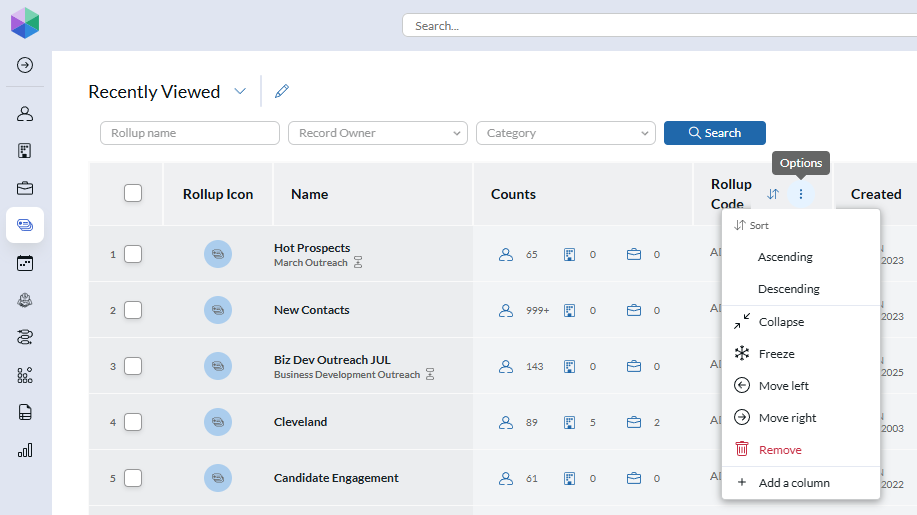
The newest version of PCRM includes fresh options for customizing your Rollup columns. With this release, users can now apply the same level of customization in Rollups that they can already do within search results:
Add / Remove columns for any field of the related record type.
Move the columns into your desired order.
Resize columns by dragging the header borders.
Freeze columns in place on the left, so that they remain static while panning to the right.
Collapse columns to hide them from view, double-click the collapsed header to expand again.
Want to get more info about PCRM? Contact sales@mainsequence.net or ask your PCR representative.
“Your data is yours” is easy to say. Here’s how it works at PCRM: a private single-tenant database, an independent SOC 2 examination, a clear line on AI training, and plain answers on what happens if you leave.
A candidate is hours from accepting a counter offer and your system won’t cooperate. What does waiting in a ticket queue cost a boutique recruiting firm, and why does support response time so rarely make the software shortlist? Here are PCRecruiter’s support numbers, plus four checks you can run on any vendor before you sign.
Recently, we promised we’d be putting out updates more frequently and with more information. That begins today, with details on big improvements to PCRM and the release of our MCP.